Live multitrack recording
ShowRecorder
Record every channel of your mixer as its own track, on the phone in your pocket.
One 24-bit Broadcast WAV file per USB Channel, 18 of them on an XR18, named after your mixer's channels. Works with Behringer X Air XR18 and MR18, on iPhone and iPad.
In TestFlight beta, coming to the App Store
Questions, or want to try the beta? showrecorder@ericdahl.dev
What you need
A mixer, a phone and a cable
A Behringer X Air XR18 or MR18
Its USB audio sends 18 USB Channels, and ShowRecorder records all of them.
An iPhone or iPad
The device does the recording. There is no laptop to bring to the gig.
A USB-C cable or hub
From the mixer's USB port to your device. A hub lets you plug in a USB drive as well.
A USB drive (optional)
For a second copy of every Take, written at the same time as the copy on the device.
How a show goes
Arm, record, mark, stop
Arm
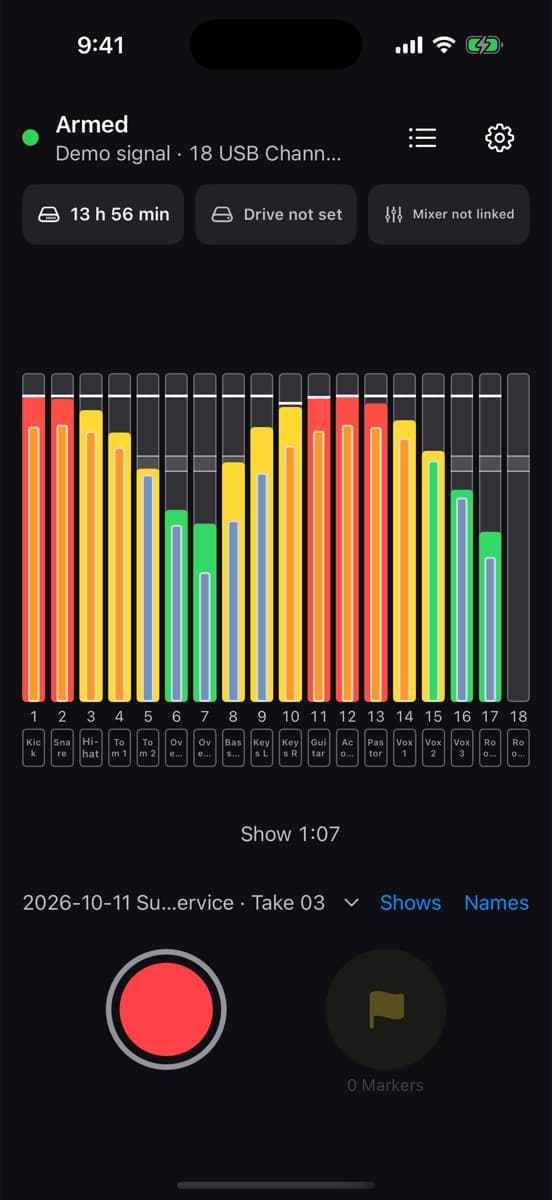
Plug in the mixer. ShowRecorder arms the input and shows a meter for every USB Channel, named from the mixer.
Record
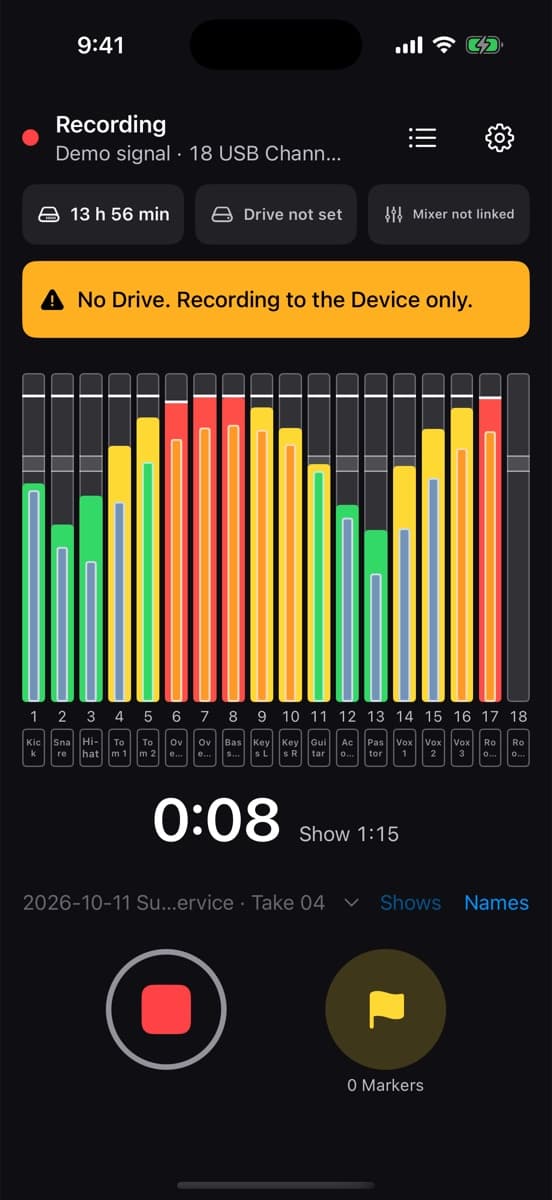
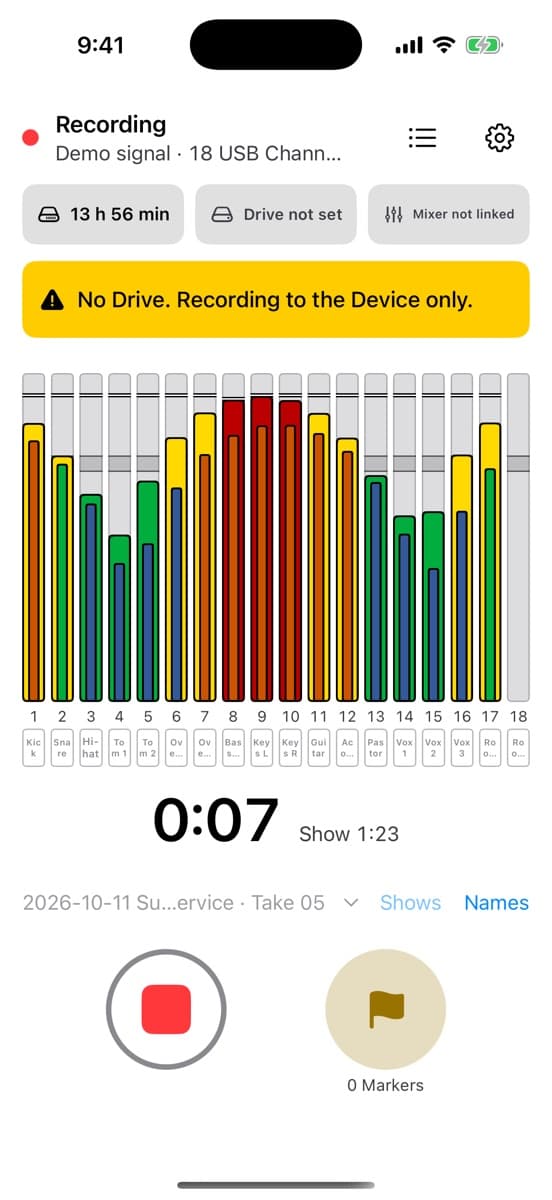
Press the red button. With Pre-roll, the Take starts with the seconds before you pressed it, so the count-in is not lost.
Mark
Tap the flag to drop a Marker at a new song, a reading or a problem to fix later. Markers are written into the files and Take.json.
Stop
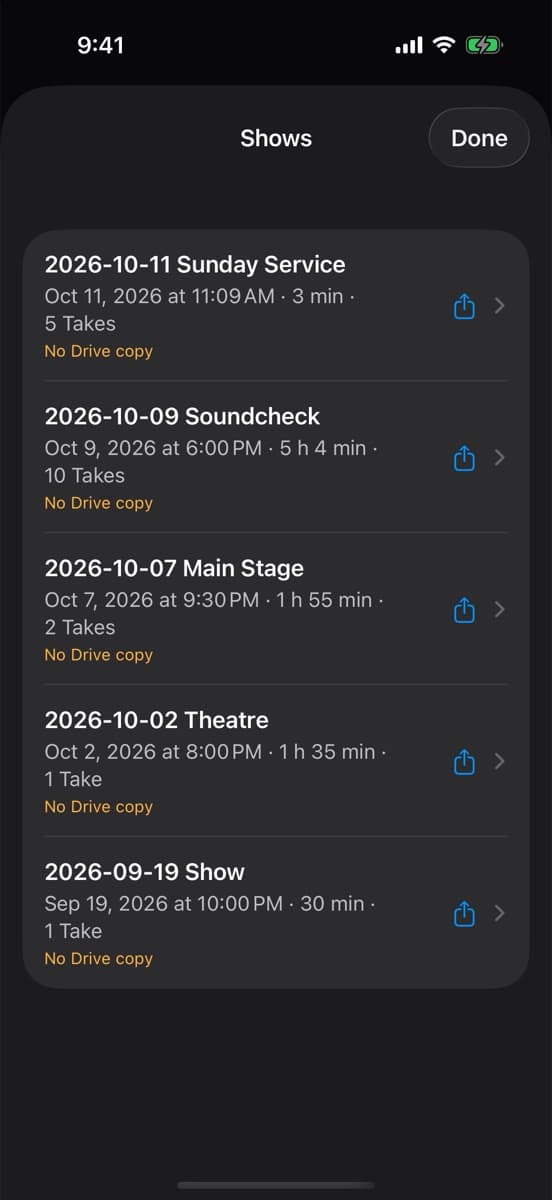
Press the button again to end the Take. Record again for the next set. Every Take stays with its Show.
Mix
Next to the WAV files you get a Show report and a Reaper project, ready to open.
Features
Built for the stage, ready for the mix
Files named after your channels
Mixer Link reads channel names and colors from the mixer over Wi-Fi, so a file is called "03 Snare.wav", not "USB 03". Find mixers locates the mixer on the network, so there is no IP address to type.
Broadcast WAV, one per channel
24-bit Broadcast WAV at the mixer's rate (48 kHz), and up to 96 kHz on interfaces that offer it.
Drive Copy
A USB drive can hold a second copy at the same time. If the drive drops out, its copy is filled back in after the Take.
Templates
Save a venue's setup, with channel names, mixer and Pre-roll, and start a Show from it in one tap.
The Show-Safe Promise
A Take never stops because of a license
A Take never stops, and audio is never withheld, because of a Trial, a limit or a license. Limits are checked only when you press record.
Free and Pro
Try everything for 14 days
ShowRecorder is currently in TestFlight beta and coming to the App Store. It will be a free download with a 14-day Trial of everything.
Free
Free download
- Records 2 USB Channels of your choice
- Covered by the Show-Safe Promise
Pro
One-time purchase: $19.99. Shared with Family Sharing.
- Every USB Channel (all 18 on an XR18)
- Channel names you type
- The Show report and Reaper export
- 96 kHz
- Templates
FAQ
Questions
- Does it need an internet connection?
- No. Recording happens on the device. Mixer Link talks to the mixer over the local Wi-Fi network, not the internet.
- Where do the files go?
- On iPhone and iPad they are in the Files app: On My iPhone (or iPad), ShowRecorder, Shows. With a USB drive connected, a second copy goes to the drive at the same time.
- Which mixers does it work with?
- Behringer X Air XR18 and MR18 today.
- Can a recording stop because the Trial ends?
- No. See the Show-Safe Promise above. Limits are checked only when you press record.
For help, email showrecorder@ericdahl.dev. ShowRecorder collects no data.